Unbounce & ClickDesk - Live Chat On Your Landing Pages
Instant setup - Receive live chat and calls from your landing page. Integrates with your favorite CRM.


  • Unbounce live chat addon

Build High Converting Landing Pages in Minutes


Unbounce is a powerful landing page creator with advanced analytics, themes, script integration and webhooks. ClickDesk's Unbounce live chat widget allows you to receive live chats and calls from your landing page visitors. Engage your visitors in realtime and get them curious about your product or service. Increase conversions!


Free Unbounce Integration


Unbounce live chat integration


Unbounce live chat widget with Google talk and Skype buttons


  • No installation of any software or plugin required. Just copy and paste the live chat code
  • Know your visitors name, email, location, referral URL and other details directly on your IM. Engage with them in realtime.
  • Visitors can call you from Browser, Skype or by using our free local access numbers in 40 countries
  • Operators respond through Google talk or Skype on computer or mobile


Trusted by more than 50,000 Businesses
Built on AppEngine and Amazon for Guaranteed 99.95% Uptime


Step 1: Login & Edit

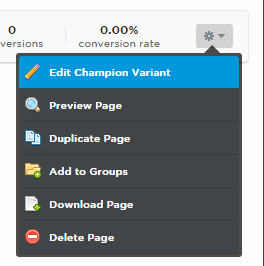
Unbounce widgets
  • Signup and login to your Unbounce account
  • Select your landing page on which you wish to add ClickDesk and 'Edit' the variant of your choice


Step 2: Signup and Add Operator

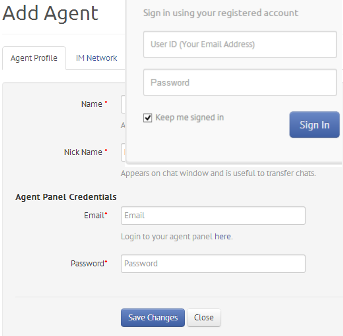
Unbounce live support
  • Signup at ClickDesk and verify your email
  • Login to your Dashboard and add an operator
  • Confirm your operator IM (Skype or Google talk) id by accepting the contact requests on your IM


Step 3: Create a Department

Unbounce live help module
  • After adding the operator, click on 'Get your code' in the navigation bar
  • Create a new department and assign operator(s)
  • Add the department


Step 4: Get your Code

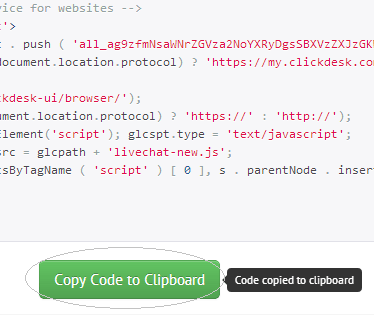
  • After assigning the operators to the department, you can now find a link 'Get your code'
  • Click on this Get your Code link to view the live chat code snippet
  • Copy the live chat code


Step 5: Add Script

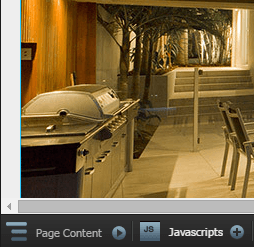
Unbounce live chat
  • In the Unbounce editor, click on the JS scripts link
  • Choose the placement to be Before Body End Tag and paste the live chat code. Save it.


Step 6: Save and Republish

free landing page live chat
  • Preview and Save the page. Go back to the menu of your landing pages.
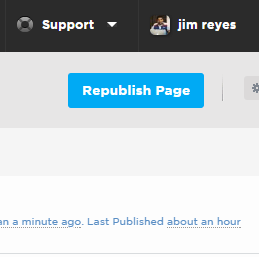
  • Do not forget to Republish your page for the changes to appear live
  • You can now see ClickDesk appear live on your landing page


Live-chat is more cost effective than email or phone.
Trusted by more than 50,000 businesses